Français
Du modèle IFC au montage : découvrez Fabbim pour identifier les pièces acier, suivre la fabrication, la galvanisation et les livraisons par scan.
Découvrir la plateforme →BIM · FABRICATION · LOGISTICS · SITE
Fabbim is the BIM platform for structural steel traceability. Connect your IFC / Tekla model to the parts, assemblies and operations recorded by your teams.
La plateforme de traçabilité pour la charpente métallique : du modèle IFC au suivi de fabrication, des livraisons et du montage.
Explore Fabbim · Choisir ma langue ↓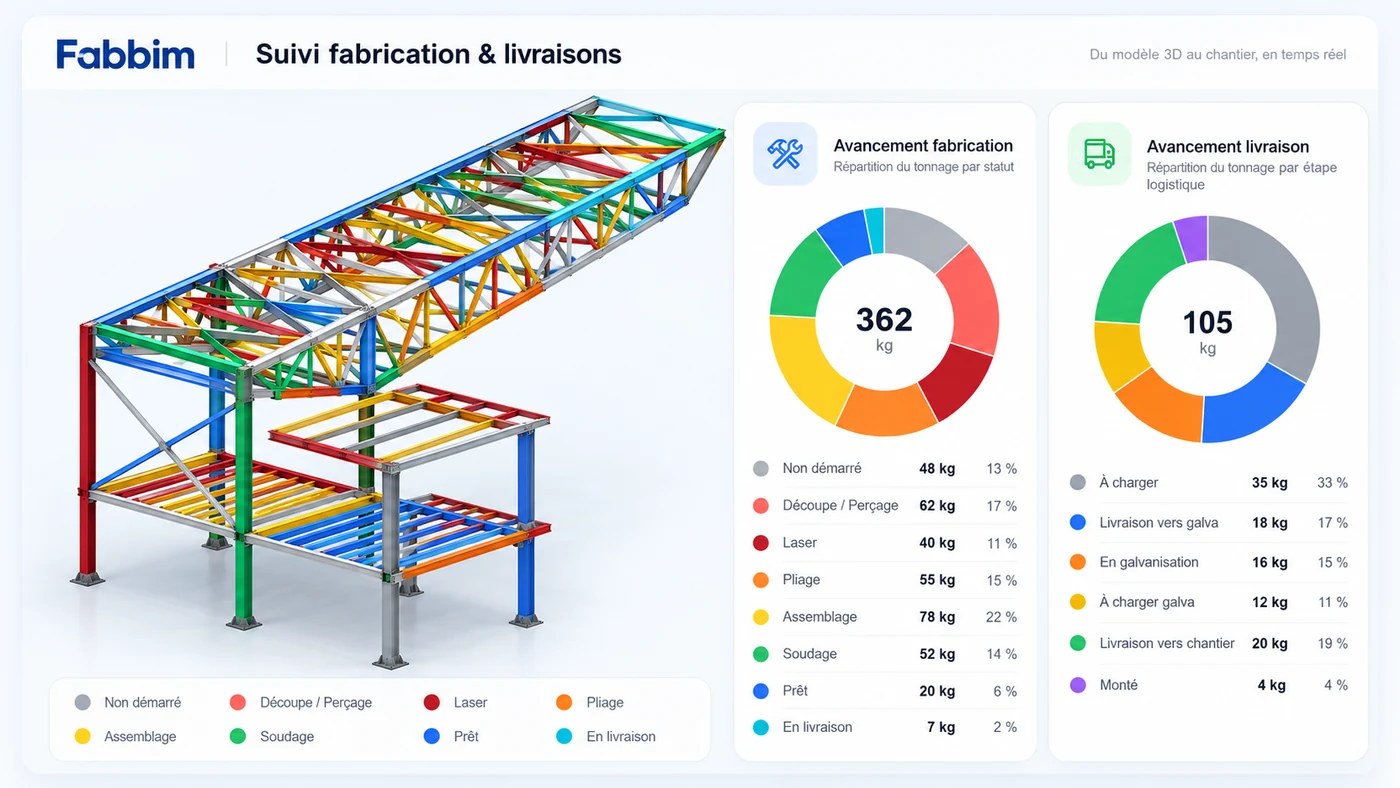
FABBIM PLAY · IFC · 3D
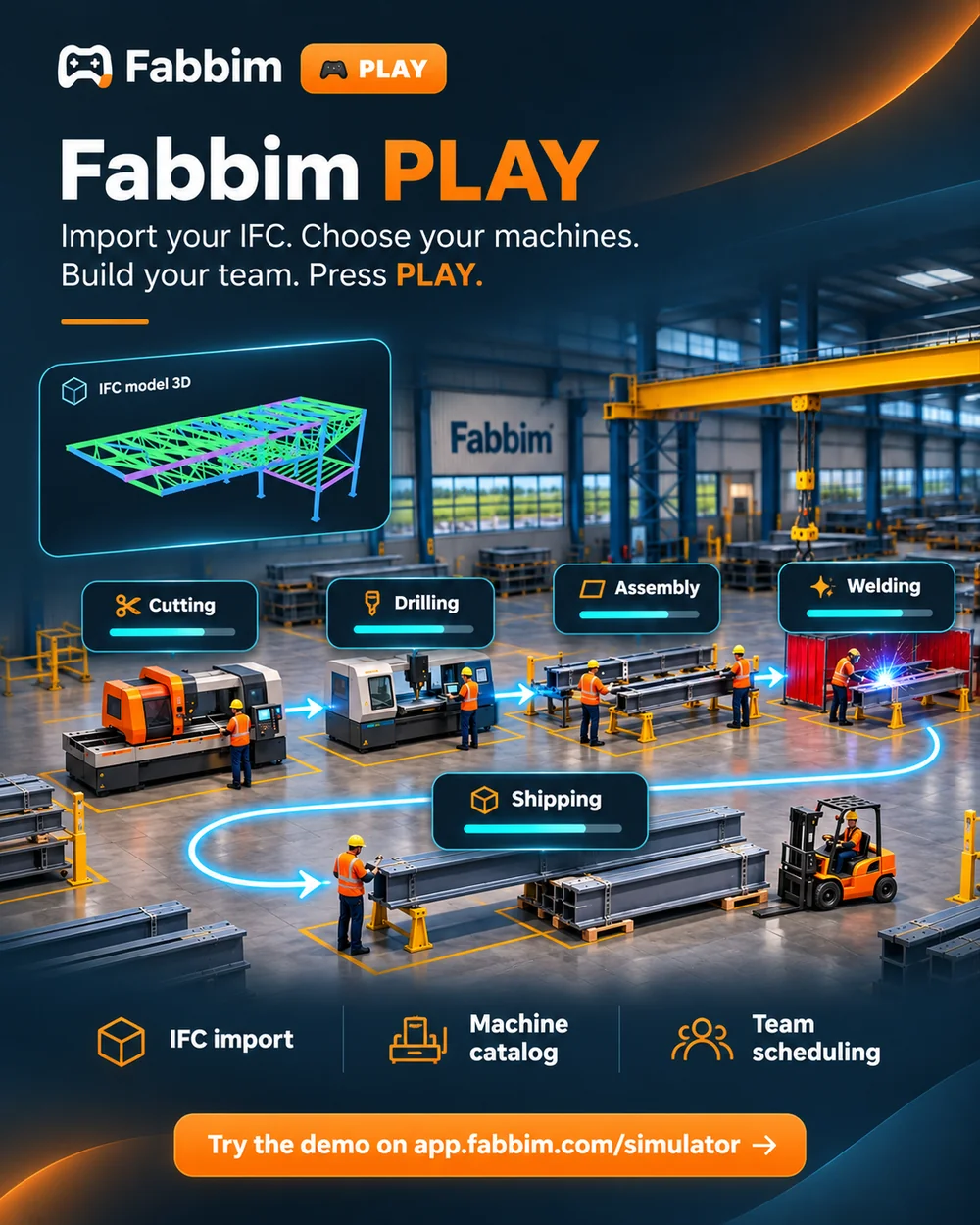
Turn your IFC model into a virtual steel workshop. Fabbim PLAY is an interactive simulator for steel fabricators: explore how machines and team resources influence production flow and follow your structure’s progress in 3D.
Start with your own steel structure and its assemblies.
Configure your cutting, drilling and welding resources.
Choose operators, welders and assemblers for your virtual workshop.
Watch assemblies move through production, identify bottlenecks, then adjust your resources and run the simulation again.
More machines do not always mean faster production. Compare scenarios to explore how the balance between equipment, people and production stages affects the flow of work.
Free to try · No installation · No account required
Try Fabbim PLAY for freeEarly demonstration: production rates are indicative. Results are not validated workshop forecasts.
FR / EN / IT / DE / ES
Scegli la lingua · Sprache wählen · Elige tu idioma
Du modèle IFC au montage : découvrez Fabbim pour identifier les pièces acier, suivre la fabrication, la galvanisation et les livraisons par scan.
Découvrir la plateforme →From IFC model to erection: identify steel parts and track fabrication, galvanizing and deliveries with scans, operation history and a 3D project view.
Explore the platform →Dal modello IFC al montaggio: identifica i pezzi in acciaio e segui fabbricazione, zincatura e consegne tramite scansioni, storico e vista 3D.
Scopri la piattaforma →Vom IFC-Modell zur Montage: Stahlbauteile identifizieren und Fertigung, Verzinkung sowie Lieferungen per Scan, Verlauf und 3D-Ansicht verfolgen.
Plattform entdecken →Del modelo IFC al montaje: identifica las piezas de acero y sigue fabricación, galvanizado y entregas mediante escaneos, historial y vista 3D.
Descubrir la plataforma →FABBIM · VIDEO
Scopri Fabbim in video · Fabbim im Video entdecken · Descubre Fabbim en vídeo
ONE PROJECT, EVERY STAGE
Import IFC data, identify parts and assemblies, and inspect the project in 3D.
IFC import guide →Record fabrication stages, inspect assembly details and follow the progress of individual instances.
Fabrication guide →Prepare truck loads, track galvanizer transfers and confirm receipt on site.
Logistics guide →Assign storage areas, record erected assemblies and view progress in the BIM model.
Site guide →QR codes and galvanizing tags connect physical parts to their project information. Explore the label range alongside the platform.